Aviation document app ഒരു കിടിലൻ ഡോക്യുമെന്റ് സ്കാനർ ആപ്പാണ് ഉപയോഗിക്കാൻ ഇന്റർനെറ്റ് പോലും വേണ്ട. viation Industry-യ്ക്ക് വേണ്ടി പ്രത്യേകം രൂപകൽപ്പന ചെയ്തതാണ് ഇതെങ്കിലും എല്ലാവർക്കും ആവശ്യനുസരണം ഇത് ഉപയോഗിക്കാനാകും. വിമാനയാന രംഗത്ത് രേഖകൾ കൃത്യമായി കൈകാര്യം ചെയ്യുന്നത് സുരക്ഷയ്ക്കും നിയമാനുസൃതതയ്ക്കും പ്രവർത്തന കാര്യക്ഷമതയ്ക്കും അത്യാവശ്യമാണ്. ഇതിനെ ലളിതമാക്കാനായി ഗൂഗിൾ പ്ലേ സ്റ്റോറിൽ ലഭ്യമായ AeroDocs നിങ്ങളെ സഹായിക്കുന്ന ആപ്പാണ്. എയർലൈൻ, പൈലറ്റ്, ക്രൂ അംഗങ്ങൾ, ഗ്രൗണ്ട് സ്റ്റാഫ് എന്നിവർക്ക് എവിടെയിരുന്നും പ്രധാന രേഖകൾ സുരക്ഷിതമായി സൂക്ഷിക്കാനും ഉപയോഗിക്കാനും കഴിയും.
AeroDocs എന്താണ്?
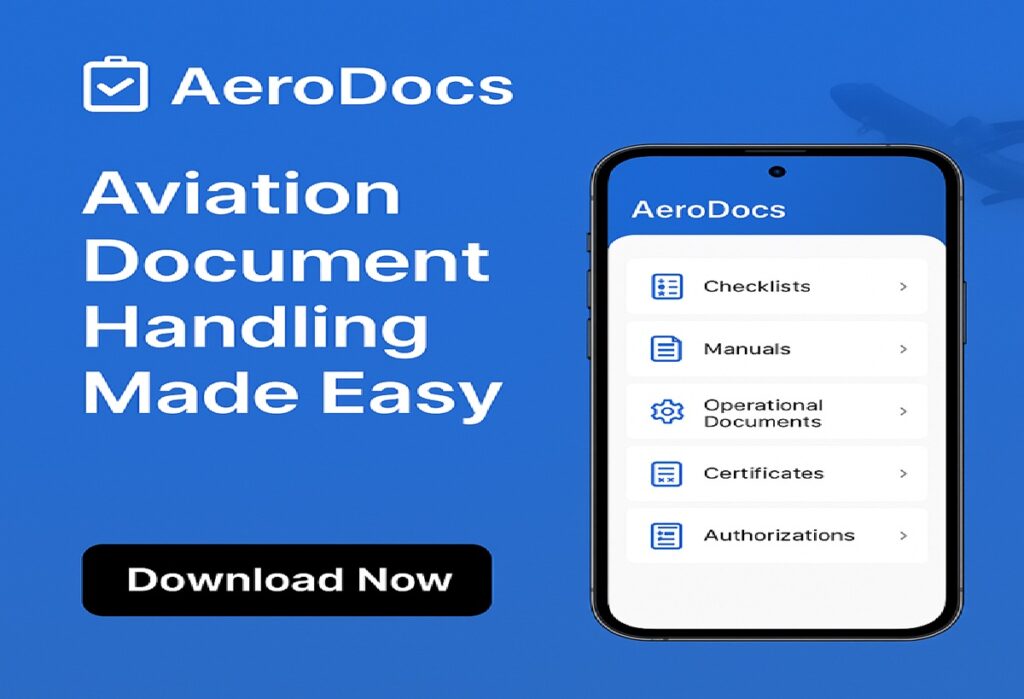
AeroDocs എവിയേഷൻ മേഖലയെ ലക്ഷ്യമിട്ട് രൂപകൽപ്പന ചെയ്ത ഒരു മൊബൈൽ ആപ്പാണ്. മാനുവലുകൾ, ചെക്ക്ലിസ്റ്റുകൾ, ഓപ്പറേഷൻ രേഖകൾ, സർട്ടിഫിക്കറ്റുകൾ, ലൈസൻസുകൾ എന്നീ പ്രധാനപ്പെട്ട ഡോക്യുമെന്റുകൾ എല്ലാം ഒരു പ്ലാറ്റ്ഫോമിൽ ക്രമീകരിച്ച് ഉപയോഗിക്കാനാവും. എയർലൈൻ കമ്പനികൾ, പ്രൈവറ്റ് ജെറ്റ് ഓപ്പറേറ്റർമാർ, ഫ്ലൈറ്റ് ട്രെയിനിംഗ് അക്കാദമികൾ, സ്വതന്ത്ര പൈലറ്റുകൾ തുടങ്ങിയവർക്ക് ഇത് ഏറ്റവും അനുയോജ്യമാണ്. എന്നാലും അവശ്യനുസരണം എല്ലാവർക്കും ഈ ആപ്പ് ഉപയോഗിക്കാം.
പ്രധാന സവിശേഷതകൾ
- ക്ലൗഡ് അടിസ്ഥാനത്തിലുള്ള മാനേജ്മെന്റ്
രേഖകൾ ക്ലൗഡിൽ അപ്ലോഡ് ചെയ്യാം, അപ്ഡേറ്റ് ചെയ്യാം, ടീമിനൊപ്പം പങ്കിടാം. ഇതിലൂടെ എല്ലാവർക്കും ഏറ്റവും പുതിയ വേർഷൻ ലഭിക്കും.
- ഓഫ്ലൈൻ ആക്സസ്
ഇന്റർനെറ്റ് ലഭ്യമല്ലാത്ത സ്ഥലങ്ങളിലും വിമാനയാത്രകളിലും ആവശ്യമായ രേഖകൾ കാണാൻ കഴിയും.
- സുരക്ഷയും നിയമാനുസൃതതയും
എൻക്രിപ്ഷൻ, പാസ്വേഡ് പ്രൊട്ടക്ഷൻ, ആക്സസ് കൺട്രോൾ എന്നിവ ഉപയോഗിച്ച് രേഖകൾ പൂർണ്ണ സുരക്ഷിതമാണ്.
ICAO, FAA, EASA, GCAA പോലുള്ള വ്യോമയാന ഏജൻസികളുടെ മാനദണ്ഡങ്ങൾ പാലിക്കാൻ അനുയോജ്യമായ സംവിധാനവും ഇതിനുണ്ട്.
- വേഗത്തിലുള്ള ഡോക്യുമെന്റ് തിരയൽ
കീവേഡ് സെർച്ച്, ബുക്ക്മാർക്ക്, നോട്ടുകൾ എന്നിവ ഉപയോഗിച്ച് രേഖകൾ ഉടൻ കണ്ടെത്താം. Efficiency വർദ്ധിപ്പിക്കുന്ന മികച്ച ടൂളുകൾ ആണ് ഇതിലുള്ളത്.
- റിയൽ-ടൈം അപ്ഡേറ്റുകളും നോട്ടിഫിക്കേഷനുകളും
പുതിയ രേഖകൾ ചേർത്താൽ അല്ലെങ്കിൽ പഴയത് പുതുക്കിയാൽ ഉപയോക്താക്കളെ ഉടൻ അറിയിച്ചുതരും.
അധിക സവിശേഷതകൾ (Additional Data)
✔ Multiple File Formats Support
PDF, Word, Excel, PowerPoint, Images തുടങ്ങിയ ഫയൽ ഫോർമാറ്റുകൾ ആപ്പ് പിന്തുണയ്ക്കുന്നു.
✔ Role-Based Access Control
പൈലറ്റുകൾ, മാനേജർമാർ, ടെക്നീഷ്യൻമാർ എന്നിവർക്ക് വേർതിരിച്ച അനുമതി നൽകാം. അംഗീകാരം ലഭിച്ചവർക്ക് മാത്രം പ്രത്യേക രേഖകൾ കാണാം.
✔ Version Control System
ഏത് ഡോക്യുമെന്റ് എപ്പോഴാണ് മാറ്റം വരുത്തിയത്, ആരാണ് അപ്ഡേറ്റ് ചെയ്തത് എന്നിവ ആപ്പ് സ്വയം സൂക്ഷിക്കും.
✔ Document Expiry Alerts
ലൈസൻസ്, മെഡിക്കൽ സർട്ടിഫിക്കറ്റ്, ട്രെയിനിംഗ് രേഖകൾ തുടങ്ങിയ കാലാവധി ഉള്ള ഡോക്യുമെന്റുകൾക്ക് expiry reminder ലഭിക്കും.
✔ Team Collaboration
ക്രൂ-ടീമുകൾക്കും ഓഫീസ് സ്റ്റാഫിനും തമ്മിൽ രേഖകൾ പങ്കിടാനും അഭിപ്രായങ്ങൾ ചേർക്കാനും കഴിയും.
✔ Multi-device Sync
മൊബൈൽ, ടാബ്ലെറ്റ്, ഓഫീസ് കമ്പ്യൂട്ടർ, കാബിൻ ഡിവൈസ് എന്നിവ എല്ലാം തമ്മിൽ ഡാറ്റ സിങ്ക് ചെയ്യും.
ആർക്ക് ഏറ്റവും അനുയോജ്യം?
Airline companies
Private jet operators
Flight schools
Commercial & corporate pilots
Cabin crew
Ground handling staff
Aircraft maintenance technicians
പ്രധാന ഗുണങ്ങൾ
രേഖകൾ നഷ്ടപ്പെടില്ല
കൂടുതൽ സുരക്ഷ
സമയം ലാഭം
Audit-friendly രേഖാപ്രവർത്തനം
എവിടെയും എപ്പോൾ വേണമെങ്കിലും ആക്സസ്
പേപ്പർ രേഖകളുടെ ബുദ്ധിമുട്ടുകൾ ഇല്ല
ഏറ്റവും ലളിതവും സുരക്ഷിതവും കാര്യക്ഷമവുമായ ഡോക്യുമെന്റ് മാനേജ്മെന്റ് സംവിധാനമാണ് AeroDocs. ഗൂഗിൾ പ്ലേ സ്റ്റോറിൽ നിന്ന് ഡൗൺലോഡ് ചെയ്യാം.
CLICK HERE TO INSTALL THE APP
AeroDocs – A Modern Document Scanner App Designed for the Aviation Industry
Accurate document management is crucial in the aviation sector for safety, compliance, and operational efficiency. To simplify this process, AeroDocs, available on the Google Play Store, serves as a powerful document management app. It helps airlines, pilots, crew members, and ground staff securely store, access, and organize essential aviation documents anytime, anywhere.
What is AeroDocs?
AeroDocs is a mobile application specifically designed for the aviation industry. It allows users to manage all essential documents—manuals, checklists, operational documents, certificates, licenses, and more—within a single platform.
It is ideal for:
- Airline companies
- Private jet operators
- Flight training academies
- Independent and corporate pilots
Key Features
1. Cloud-Based Document Management
Upload, update, and share documents securely through the cloud. Teams always have access to the latest version.
2. Offline Access
Even without internet access—during flights or in remote areas—important documents remain available.
3. Safety & Compliance
AeroDocs uses encryption, password protection, and controlled access to ensure maximum security.
It also supports compliance with aviation authorities such as ICAO, FAA, EASA, and GCAA.
4. Fast Document Search
Search using keywords, bookmarks, or notes to find documents instantly. These tools significantly improve operational efficiency.
5. Real-Time Updates & Notifications
Whenever new documents are added or existing ones are updated, users receive immediate alerts.
Additional Features (Additional Data)
✔ Supports Multiple File Formats
Compatible with PDF, Word, Excel, PowerPoint, images, and other common file types.
✔ Role-Based Access Control
Provide selective access to pilots, managers, technicians, and crew. Only authorized users can view certain documents.
✔ Version Control System
Tracks who made changes, when updates were made, and retains previous versions for reference.
✔ Document Expiry Alerts
Automatically reminds users about expiring documents such as:
- Pilot licenses
- Medical certificates
- Training records
✔ Team Collaboration Tools
Enables team members to share documents, add comments, and work together more efficiently.
✔ Multi-Device Sync
Syncs seamlessly across mobile phones, tablets, office computers, and cockpit devices.
Who Can Benefit from AeroDocs?
- Airline companies
- Private jet operators
- Flight schools
- Commercial and corporate pilots
- Cabin crew
- Ground-handling personnel
- Aircraft maintenance engineers and technicians
Major Benefits
- No risk of losing important documents
- High-level security
- Saves time and improves workflow
- Audit-friendly document handling
- Access anywhere, anytime
- Eliminates the hassle of paper files
AeroDocs – Making Aviation Document Management Simple and Secure
AeroDocs is one of the most efficient, secure, and user-friendly document management solutions designed specifically for aviation professionals.
The app is available for download on the Google Play Store.
CLICK HERE TO INSTALL THE APP
Photomath: Solve Math Problems Easily with Your Phone
Mathematics is a subject that many students find challenging. Solving equations, understanding formulas, and tackling complex problems can be frustrating without proper guidance. In today’s digital age, technology has transformed learning, making it more interactive and accessible. One of the most powerful tools for mastering mathematics is Photomath – a free app that helps students understand and solve math problems quickly and efficiently.
Photomath is not just an app; it acts like a personal tutor in your pocket. It allows users to scan math problems using their smartphone camera, providing instant solutions along with step-by-step explanations. This makes it a valuable resource for students, parents, teachers, and anyone interested in improving their math skills.
What is Photomath?
Photomath is an educational application designed specifically for mathematics learners. It supports a wide range of math topics including arithmetic, algebra, calculus, fractions, decimals, trigonometry, and more. Using advanced camera recognition technology, the app can instantly read a problem, process it, and provide a complete solution along with detailed steps to reach the answer.
Launched in 2014, Photomath has quickly become one of the most popular math apps worldwide, with millions of downloads and a reputation for being reliable and user-friendly. It is free to use, though a premium version called Photomath Plus is available for additional features such as detailed explanations, additional examples, and more advanced learning tools.
How Photomath Works
Photomath works in a simple and intuitive way:
- Install the App
- Photomath is available for Android and iOS devices. Download it from the Google Play Store or Apple App Store.
- Open the App
- Launch the app and choose the camera scan mode to begin.
- Scan the Problem
- Position your smartphone camera over the math problem you want to solve. Photomath can recognize printed and handwritten problems.
- View the Solution
- The app instantly displays the answer along with step-by-step explanations.
- Learn the Steps
- You can study each step carefully, understand the methodology, and apply it to similar problems.
- Save or Share
- Users can take screenshots, save solutions, or even share them for collaborative learning.
This approach helps students not only get the correct answer but also learn the process of solving problems, which is essential for mastering mathematics.
Key Features of Photomath
Photomath includes several features that make it unique and effective:
1. Camera-Based Problem Solving
Using the app’s camera feature, students can simply take a photo of a math problem, and Photomath provides an instant solution. This saves time and reduces frustration when dealing with challenging problems.
2. Step-by-Step Explanations
Instead of just showing the final answer, Photomath breaks down the solution into easy-to-understand steps, allowing students to follow the logic and methodology behind each problem.
3. Covers a Wide Range of Topics
Photomath supports:
- Basic arithmetic and number operations
- Fractions, decimals, and percentages
- Algebra (equations, inequalities, and expressions)
- Geometry and trigonometry
- Calculus (derivatives, integrals)
This makes it suitable for elementary, middle school, high school, and college students.
4. Handwritten Problem Recognition
Photomath can recognize handwritten math problems, making it ideal for students who write notes or receive homework in handwritten form.
5. Multiple Languages
The app supports several languages, making it accessible to students worldwide.
6. Free Version and Premium Version
The free version provides all the essential features, while Photomath Plus includes:
- Detailed step-by-step explanations for complex problems
- Additional examples and exercises
- Graphs and visual aids
How Photomath Helps People
Photomath is not only a tool for solving math problems but also a learning aid that benefits students in multiple ways:
1. Helps with Homework
Many students struggle to complete homework due to complex math problems. Photomath allows them to scan problems and understand the solutions, making homework faster and more effective.
2. Provides Learning Support
Photomath is like having a personal tutor available 24/7. Students can practice anytime, anywhere, without waiting for teacher assistance.
3. Builds Understanding of Math Concepts
By showing step-by-step solutions, Photomath teaches students how to solve problems, not just what the answers are. This helps build a strong foundation in mathematics.
4. Improves Exam Preparation
Students preparing for exams can use Photomath to practice problems, review difficult concepts, and test their understanding. This makes exam preparation more efficient and structured.
5. Saves Time
Photomath helps students quickly solve problems that might otherwise take hours to figure out. This is especially useful for time-sensitive homework or assignments.
6. Boosts Confidence
Many students feel anxious about math. By providing clear explanations and instant feedback, Photomath reduces math anxiety and builds confidence in students’ abilities.
7. Supports Teachers and Parents
Teachers and parents can use Photomath to check students’ work, understand solution methods, and provide better guidance at home or in the classroom.
Benefits of Using Photomath
- Free and Easy to Use: Most features are available without cost, making it accessible for everyone.
- Interactive Learning: Engages students with visual aids, step-by-step explanations, and instant solutions.
- Flexible Learning Pace: Students can learn at their own speed, reviewing steps as needed.
- Wide Applicability: Supports a variety of math topics from basic arithmetic to advanced calculus.
- Accessible Anytime, Anywhere: Students can learn on their phones or tablets, making it easy to study on the go.
Tips to Maximize Learning with Photomath
- Practice Daily: Even 10–20 minutes daily can improve math skills significantly.
- Study the Steps, Not Just the Answers: Focus on understanding each step to truly grasp math concepts.
- Combine with Other Resources: Use textbooks, online tutorials, or video lessons to reinforce learning.
- Use Photomath for Challenging Topics: Focus on the problems you find hardest and study the solutions carefully.
- Test Yourself: Try solving similar problems without the app to strengthen your skills.
Who Can Use Photomath?
Photomath is suitable for:
- Students: From elementary school to college, anyone studying mathematics.
- Teachers: To check solutions and assist students in understanding methods.
- Parents: To help children with homework and learning at home.
- Professionals: Anyone needing to solve math problems quickly for work or personal projects.
Conclusion
Photomath has transformed the way people learn mathematics. Its user-friendly interface, step-by-step explanations, and instant problem-solving capabilities make it a powerful tool for students worldwide. By combining technology with effective learning methods, Photomath provides not just answers, but understanding, confidence, and skill.
Whether you are a beginner struggling with basic arithmetic, a student preparing for exams, or someone looking to improve your math skills for professional reasons, Photomath is the ideal app. It makes learning math fun, interactive, and accessible to everyone.
In today’s digital world, Photomath has become more than an app – it is a virtual tutor, a study companion, and a gateway to mastering mathematics. By using Photomath, students can overcome math challenges, improve their problem-solving skills, and achieve academic success with ease and confidence.
കണക്ക് പേടി തോന്നാറുണ്ടോ? പേടി മാറ്റാം! Photomath-ലൂടെ ഓരോ കണക്കും പഠിച്ചെടുക്കാം
ഗണിതശാസ്ത്രം പല വിദ്യാർത്ഥികൾക്കും ഒരു വെല്ലുവിളിയുള്ള വിഷയമാണ്. ശരിയായ മാർഗ്ഗനിർദ്ദേശമില്ലാതെ സമവാക്യങ്ങൾ പരിഹരിക്കുന്നതും, ഫോർമുലകൾ മനസ്സിലാക്കുന്നതും, സങ്കീർണ്ണമായ പ്രശ്നങ്ങൾ കൈകാര്യം ചെയ്യുന്നതും ബുദ്ധിമുട്ടാണ്. എന്നാൽ ഇന്ന്, സാങ്കേതികവിദ്യ പഠനത്തെ സംവേദനാത്മകവും എളുപ്പത്തിൽ ലഭ്യമാകുന്നതുമാക്കി മാറ്റി. ഗണിതത്തിൽ പ്രാവീണ്യം നേടാൻ സഹായിക്കുന്ന ഏറ്റവും ശക്തമായ ടൂളുകളിൽ ഒന്നാണ് Photomath – ഗണിതപ്രശ്നങ്ങൾ വേഗത്തിലും കാര്യക്ഷമമായും മനസ്സിലാക്കാനും പരിഹരിക്കാനും വിദ്യാർത്ഥികളെ സഹായിക്കുന്ന ഒരു സൗജന്യ ആപ്പ് ആണിത്.
Photomath വെറുമൊരു ആപ്പ് മാത്രമല്ല; നിങ്ങളുടെ പോക്കറ്റിലെ വ്യക്തിപരമായ ഒരു ട്യൂട്ടർ പോലെയാണിത് പ്രവർത്തിക്കുന്നത്. നിങ്ങളുടെ സ്മാർട്ട്ഫോൺ ക്യാമറ ഉപയോഗിച്ച് ഗണിതപ്രശ്നങ്ങൾ സ്കാൻ ചെയ്താൽ, ഉടനടി ഉത്തരങ്ങളും വിശദമായ ഘട്ടം ഘട്ടമായുള്ള വിശദീകരണങ്ങളും ഇത് നൽകുന്നു. ഇത് വിദ്യാർത്ഥികൾക്കും, മാതാപിതാക്കൾക്കും, അധ്യാപകർക്കും, ഗണിതശാസ്ത്രപരമായ കഴിവുകൾ മെച്ചപ്പെടുത്താൻ ആഗ്രഹിക്കുന്ന ഏതൊരാൾക്കും ഒരു അമൂല്യമായ വിഭവശേഷിയാണ്.
എന്താണ് Photomath?
ഗണിതശാസ്ത്ര പഠിതാക്കൾക്കായി പ്രത്യേകം രൂപകൽപ്പന ചെയ്ത ഒരു വിദ്യാഭ്യാസ ആപ്ലിക്കേഷനാണ് Photomath. അടിസ്ഥാന ഗണിതം, ആൾജിബ്ര, കാൽക്കുലസ്, ഭിന്നസംഖ്യകൾ (Fractions), ദശാംശങ്ങൾ (Decimals), ത്രികോണമിതി (Trigonometry) തുടങ്ങിയ നിരവധി ഗണിത വിഷയങ്ങളെ ഇത് പിന്തുണയ്ക്കുന്നു.
അഡ്വാൻസ്ഡ് ക്യാമറ റെക്കഗ്നിഷൻ സാങ്കേതികവിദ്യ ഉപയോഗിച്ച്, ആപ്പിന് ഒരു പ്രശ്നം നിമിഷങ്ങൾക്കകം വായിക്കാനും, പ്രോസസ്സ് ചെയ്യാനും, ഉത്തരം കണ്ടെത്താനുള്ള പൂർണ്ണമായ ഘട്ടങ്ങൾ സഹിതം ഒരു സമ്പൂർണ്ണ പരിഹാരം നൽകാനും കഴിയും. 2014-ൽ പുറത്തിറങ്ങിയ Photomath, വിശ്വസനീയവും ഉപയോക്തൃ സൗഹൃദവുമാണ് എന്ന പേര് നേടി ലോകമെമ്പാടുമുള്ള ഏറ്റവും ജനപ്രിയമായ ഗണിത ആപ്പുകളിൽ ഒന്നായി മാറി. ഇതിന്റെ ഉപയോഗം സൗജന്യമാണ്, എങ്കിലും കൂടുതൽ വിശദമായ വിശദീകരണങ്ങൾ, അധിക ഉദാഹരണങ്ങൾ, അഡ്വാൻസ്ഡ് പഠന ടൂളുകൾ എന്നിവയ്ക്കായി Photomath Plus എന്ന പ്രീമിയം പതിപ്പും ലഭ്യമാണ്.
Photomath പ്രവർത്തിക്കുന്നത് എങ്ങനെ?
Photomath വളരെ ലളിതമായിട്ടാണ് പ്രവർത്തിക്കുന്നത്:
- ആപ്പ് ഇൻസ്റ്റാൾ ചെയ്യുക: ആൻഡ്രോയിഡ്, iOS ഉപകരണങ്ങളിൽ ആപ്പ് സ്റ്റോറിൽ നിന്നും സൗജന്യമായി ഡൗൺലോഡ് ചെയ്യുക.
- ക്യാമറ തുറക്കുക: ആപ്പ് ലോഞ്ച് ചെയ്ത് ക്യാമറ സ്കാൻ മോഡ് തിരഞ്ഞെടുക്കുക.
- പ്രശ്നം സ്കാൻ ചെയ്യുക: നിങ്ങളുടെ സ്മാർട്ട്ഫോൺ ക്യാമറ, പരിഹരിക്കേണ്ട ഗണിതപ്രശ്നത്തിന് മുകളിൽ വെക്കുക. അച്ചടിച്ചതും കൈകൊണ്ട് എഴുതിയതുമായ പ്രശ്നങ്ങൾ ആപ്പിന് തിരിച്ചറിയാൻ കഴിയും.
- ഉത്തരം കാണുക: ഉടനടി ആപ്പ് ഉത്തരവും ഘട്ടം ഘട്ടമായുള്ള വിശദീകരണങ്ങളും പ്രദർശിപ്പിക്കും.
- പഠനം ഉറപ്പാക്കുക: ഓരോ ഘട്ടവും ശ്രദ്ധയോടെ പഠിക്കുകയും, രീതിശാസ്ത്രം മനസ്സിലാക്കുകയും, സമാനമായ പ്രശ്നങ്ങളിൽ അത് പ്രയോഗിക്കുകയും ചെയ്യുക.
ഈ സമീപനം വിദ്യാർത്ഥികളെ ശരിയായ ഉത്തരം നേടാൻ മാത്രമല്ല, പ്രശ്നങ്ങൾ പരിഹരിക്കുന്ന പ്രക്രിയ പഠിക്കാനും സഹായിക്കുന്നു.
- ക്യാമറ വഴിയുള്ള പരിഹാരം: പ്രശ്നത്തിന്റെ ഒരു ഫോട്ടോ എടുത്താൽ മതി, Photomath തൽക്ഷണം ഉത്തരം നൽകും.
- ഘട്ടം ഘട്ടമായുള്ള വിശദീകരണങ്ങൾ: അന്തിമ ഉത്തരം കാണിക്കുന്നതിനു പകരം, എളുപ്പത്തിൽ മനസ്സിലാക്കാൻ കഴിയുന്ന ഘട്ടങ്ങളായി Photomath പരിഹാരം വിഭജിക്കുന്നു.
- വിവിധ വിഷയങ്ങളെ പിന്തുണയ്ക്കുന്നു: അടിസ്ഥാന ഗണിതം, ആൾജിബ്ര, ജ്യാമിതി, കാൽക്കുലസ് വരെ ഇത് പിന്തുണയ്ക്കുന്നു.
- കൈയക്ഷരം തിരിച്ചറിയാനുള്ള കഴിവ്: കൈകൊണ്ട് എഴുതിയ ഗണിത പ്രശ്നങ്ങൾ പോലും Photomath തിരിച്ചറിയും.
- സൗജന്യവും പ്രീമിയവും: എല്ലാ അവശ്യ സവിശേഷതകളും സൗജന്യ പതിപ്പിൽ ലഭ്യമാണ്.
Photomath കേവലം ഒരു പ്രശ്നപരിഹാര ടൂൾ എന്നതിലുപരി ഒരു പഠന സഹായിയായി പ്രവർത്തിക്കുന്നു:
- ഹോംവർക്ക് സഹായം: സങ്കീർണ്ണമായ ഹോംവർക്കുകൾ പെട്ടെന്ന് മനസ്സിലാക്കാനും പരിഹാരങ്ങൾ പഠിക്കാനും ഇത് സഹായിക്കുന്നു.
- 24/7 വ്യക്തിഗത ട്യൂട്ടർ: അധ്യാപകന്റെ സഹായത്തിനായി കാത്തുനിൽക്കാതെ ഏത് സമയത്തും എവിടെ വെച്ചും പരിശീലനം നടത്താം.
- അടിസ്ഥാനം ശക്തമാക്കുന്നു: ഘട്ടം ഘട്ടമായുള്ള പരിഹാരങ്ങൾ കാണിക്കുന്നതിലൂടെ, ഉത്തരങ്ങൾ മാത്രമല്ല, പ്രശ്നം എങ്ങനെ പരിഹരിക്കാമെന്നും വിദ്യാർത്ഥികളെ പഠിപ്പിക്കുന്നു.
- പരീക്ഷാ തയ്യാറെടുപ്പ്: പരീക്ഷകൾക്കായി തയ്യാറെടുക്കുന്ന വിദ്യാർത്ഥികൾക്ക് ബുദ്ധിമുട്ടുള്ള ആശയങ്ങൾ വേഗത്തിൽ അവലോകനം ചെയ്യാൻ ഇത് സഹായിക്കുന്നു.
- ആത്മവിശ്വാസം വർദ്ധിപ്പിക്കുന്നു: വ്യക്തമായ വിശദീകരണങ്ങൾ നൽകുന്നതിലൂടെ ഗണിതശാസ്ത്രത്തെക്കുറിച്ചുള്ള ആശങ്ക കുറയ്ക്കുകയും വിദ്യാർത്ഥികളുടെ ആത്മവിശ്വാസം വർദ്ധിപ്പിക്കുകയും ചെയ്യുന്നു.
- മാതാപിതാക്കളെയും അധ്യാപകരെയും പിന്തുണയ്ക്കുന്നു: കുട്ടികളുടെ ഹോംവർക്ക് പരിശോധിക്കാനും പരിഹാര രീതികൾ മനസ്സിലാക്കാനും ഇത് മാതാപിതാക്കളെയും അധ്യാപകരെയും സഹായിക്കുന്നു.
Photomath ഉപയോഗിക്കുമ്പോൾ ശ്രദ്ധിക്കേണ്ട കാര്യങ്ങൾ:
- ഉത്തരമല്ല, ഘട്ടങ്ങൾ പഠിക്കുക: ഓരോ ഘട്ടവും മനസ്സിലാക്കുന്നതിൽ ശ്രദ്ധ കേന്ദ്രീകരിക്കുക.
- മറ്റ് വിഭവങ്ങളുമായി സംയോജിപ്പിക്കുക: പാഠപുസ്തകങ്ങൾ, ഓൺലൈൻ ട്യൂട്ടോറിയലുകൾ എന്നിവയുമായി ചേർത്ത് പഠനം മെച്ചപ്പെടുത്തുക.
- സ്വയം പരീക്ഷിക്കുക: Photomath-ന്റെ സഹായമില്ലാതെ സമാനമായ പ്രശ്നങ്ങൾ പരിഹരിച്ച് നിങ്ങളുടെ കഴിവുകൾ ശക്തിപ്പെടുത്തുക.
ഉപസംഹാരം
Photomath ഗണിതശാസ്ത്രം പഠിക്കുന്ന രീതിയെ മാറ്റിമറിച്ചു. അതിന്റെ ഉപയോക്തൃ സൗഹൃദ ഇന്റർഫേസ്, ഘട്ടം ഘട്ടമായുള്ള വിശദീകരണങ്ങൾ, തൽക്ഷണ പ്രശ്നപരിഹാര കഴിവുകൾ എന്നിവ ലോകമെമ്പാടുമുള്ള വിദ്യാർത്ഥികൾക്ക് ഒരു ശക്തമായ ടൂളാണ്. ഒരു വെർച്വൽ ട്യൂട്ടർ എന്ന നിലയിൽ, Photomath ഗണിത വെല്ലുവിളികളെ മറികടക്കാനും അക്കാദമിക് വിജയം നേടാനും വിദ്യാർത്ഥികളെ സഹായിക്കുന്നു.